Dister
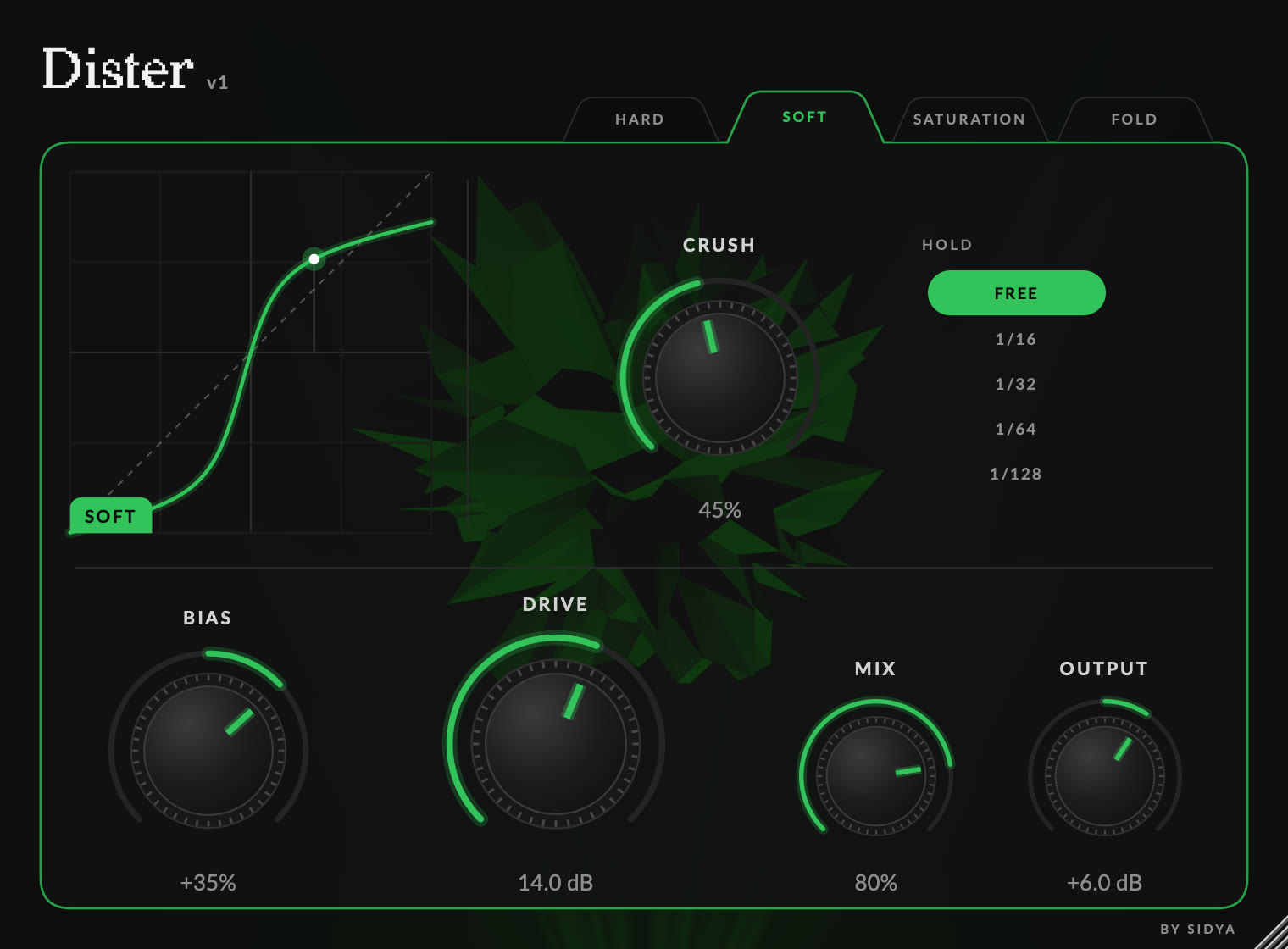
What’s inside
Four modes
Hard, Soft, Saturation and Fold. Switching is click-free, so you can compare them while the track plays.
See the sound
The curve draws exactly what your settings do to the signal, and a dot shows where your audio sits on it right now. The blob behind the controls moves with your sound: sharper with more drive.
Bias
Pushes the signal off-centre for the warm, uneven clipping of a tube stage, with no DC offset left behind.
Crush
One knob lowers bit depth and sample rate together, from clean to 3-bit grit.
Hold
Locks the crusher to 1/16 to 1/128 notes of your project tempo, for stuttering rhythms.
Drive, Mix and Output
Up to 24 dB of drive, a Mix knob to keep the original punch, and an Output trim to level-match.
Controls
| Control | Range | What it does |
|---|---|---|
| Mode | Hard · Soft · Saturation · Fold | The shape of the distortion. |
| Drive | 0 to 24 dB | How hard the signal is pushed into the shaper. |
| Bias | −100% to +100% | Makes the clipping asymmetric. 0% is symmetrical. |
| Mix | 0 to 100% | Blend between the dry signal and the distorted one. |
| Output | −24 to +24 dB | Level after everything else. |
| Crush | 0 to 100% | Bit depth and sample rate reduction. Off at 0%. |
| Hold | Free · 1/16 · 1/32 · 1/64 · 1/128 | Free follows Crush. A note length holds the signal for that long at the host tempo. |
Drag a knob up or down. Hold Shift for fine control, double-click to reset, or double-click the number to type a value.
Installing
- 1Download the installer and open it.
- 2Choose the formats you need: VST3 for most hosts, Audio Unit for Logic Pro and GarageBand.
- 3Restart your DAW, or rescan its plugins, and look for Dister under Sidya.
- VST3
- /Library/Audio/Plug-Ins/VST3/Dister.vst3
- Audio Unit
- /Library/Audio/Plug-Ins/Components/Dister.component
- Requires
- macOS 10.13 or later · Apple Silicon or Intel
Free, and open source
Dister costs nothing and asks for nothing: no account, no licence key, no network access. It is released under the GNU Affero General Public License v3.0, so you can read the code, build it yourself and change it, as long as you share your changes under the same licence.
FAQ
Found a bug or have a request? Write to hello@sidya.ca.